Website design & redesign · Painter and decorator
Painter's website: projects, finishes and quote requests
Your clients choose the quality of the result as much as a colour. Gloria creates or redesigns your painting website to show your finishes, explain preparation and receive better-described work enquiries.
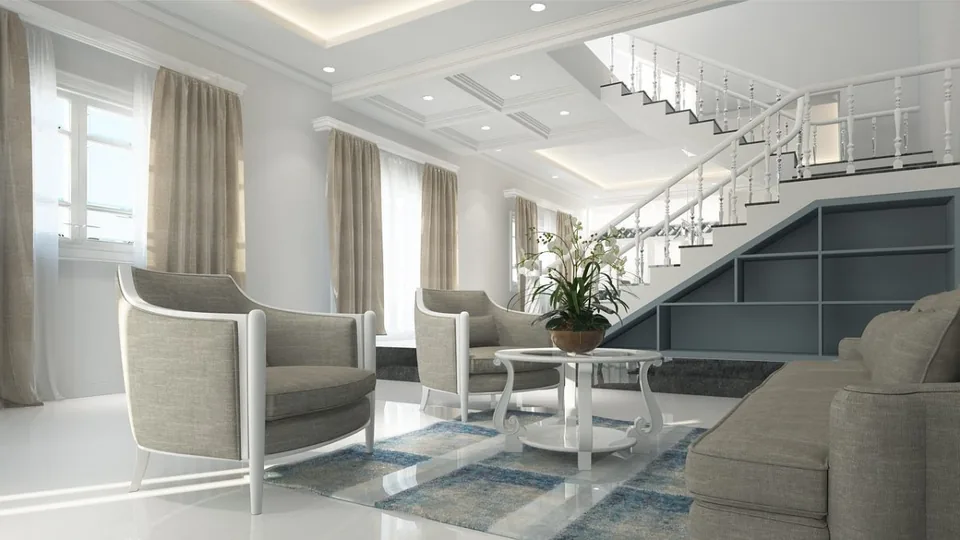
Finishes that transform your interior
Explore our services and prepare for your next project.
Describe my projectYour photos, services and contact details, ready to personalise.
Our method, before design
Painter benchmarking and keywords by work, surfaces and premises type
We start with competing businesses, local results and examples that explain preparation, finishes and worksite organisation. The benchmark compares services rather than simple slogans. Your resources, usual surface areas, locations and projects to develop guide priorities, taking account of their value.
“Interior painter [city]”, “stairwell painting” or “exterior repainting renovation” are possibilities to verify according to your offer. We examine intent and results without promising a price per square metre valid for every surface condition. Specific work is advertised only if actually provided.
The study determines useful pages and information needed for a quote, with authorised worksite photos and context for finishes. KPIs connect relevant enquiries, visits and accepted quotes; multiplying local pages is not an end in itself. Locations mentioned correspond to your operating area. The quote specifies the competitive scope and keyword research, distinct from an unlimited market study that is not automatically included in standard website creation.
The benefit for your business
Finish photos, surface preparation and quote requests
Show finishes on completed projects
Make the result and standard of finish visible.
Explain surface preparation
Explain preparation and organisation to substantiate the offer.
Collect the work to be quoted
Qualify rooms, approximate surface areas and constraints before the quote.
Your budget
Creation prices: brochure website, editable website or online shop
01
Simple brochure website
290 € excluding VAT
Build · standard configuration
Present your business and receive enquiries.
- Presentation tailored to your industry
- Content prepared from your information
- Mobile display and simple contact
- No administration area
02
Editable website / redesign
590 € excluding VAT
Build · standard configuration
Edit your content or modernise an existing website.
- CMS and standard functionality
- Content migration agreed in the quote
- Redirects prepared for a redesign
- Getting started and access handover
03
Online shop
990 € excluding VAT
Build · standard configuration
Sell using a proven e-commerce platform.
- Usable catalogue supplied by you
- Standard cart, payment and delivery
- Order journey tested
- Special integrations quoted individually
The quote confirms the scope before commitment. The client registers and renews the domain; initial connection is included. Choose hosting on your own account or hosting managed by Gloria, at an additional cost. E-commerce platform, applications and payment fees are not included.
In practice
Request painting for one room or several spaces
Refresh a room
The presentation shows possible work and finishes. Clients specify rooms and timing to prepare an initial conversation.
Renovate several spaces
The journey explains worksite organisation and preparation stages. The enquiry specifies scope and constraints to discuss.
Your starting point
Creation or redesign: content, functions and transfer of old pages
Creation: organise pages, content and contact
For a new website, we clarify your services and desired project types: private homes, commercial premises or other projects you actually cover. We prepare the presentation, completed projects and contact. An editable version may be useful if you want to add work examples regularly.
Redesign: transfer content and redirect old pages
A redesign can replace unexplained galleries and reorganise scattered services. We identify content to retain and addresses to maintain. New descriptions are approved with you so the presentation matches the work carried out, materials used and limits of your offer.
Useful functions
Painting services, project photos and form
Painting pages by premises, surfaces and finishes
Work can be grouped by use or type of intervention. Each presentation details what may be included and points to check before quoting. Additional services are distinguished so visitors do not assume they automatically accompany every painting enquiry.
Photos of project preparation and finishes
A reference can connect a few images to a description of the need and your work. Captions specify useful information without exposing clients. The selection remains easy to browse and can evolve according to the content you want to manage yourself.
A form adapted to the work
Contact can collect the municipality, project type and a free-text description. Adding photos is considered if you genuinely use them. Visitors understand that a message prepares the conversation and does not replace information necessary to produce a quote.
Practical questions
Questions about content, tools and website creation
Should I publish prices per square metre?
Only if you can specify the work, conditions and limits they cover. Otherwise, we simply explain your quoting method. The aim is to help clients prepare an enquiry, not publish an entry price that does not represent the projects concerned.
Are before-and-after photos necessary?
They can be useful if they exist and you can publish them. They are not required to create the website. Images of the result with an accurate description may be enough; we do not invent an initial condition or project to complete a gallery.
What should I provide to get started?
Your service list, area, contact details and work examples provide a good foundation. We help clarify missing elements. Photos and documents supplied must be usable on the website; producing a photographic report remains a separate service.
Build the journey
Explain preparation as well as the visible finish
The website can distinguish interior painting, exterior work and coverings you actually install. Within each section, completed projects describe the initial surface, preparation performed and intended result. This helps visitors understand why two rooms of the same size do not necessarily involve the same work. Colour visuals are presented as examples of atmosphere because display depends on the screen and lighting. A method page also explains how you organise work in an occupied home without promising identical arrangements for every project.
A concrete example
Example: repainting several rooms in an occupied home
Fictional example: a couple wants to repaint several rooms while continuing to live in the home. They consult a comparable project, understand what information will be useful and see how an enquiry is prepared. The form lets them indicate rooms, apparent condition and occupancy constraints. Your team can then ask the right questions before a visit. The website does not turn an approximate surface area into a fixed price. It prepares a conversation about scope: walls, ceilings, woodwork and preparation must be distinguished.
The first enquiry
Form: rooms, surface areas, municipality and home occupancy
We suggest asking for premises type, rooms or approximate surface areas if known, municipality and a contact. A field about home occupancy can avoid an unnecessary exchange without asking personal information about residents. Photos remain optional and do not replace your assessment. Clients must be able to say they do not know the surface type. Details needed for an appointment are completed later; a long technical form on the first screen would mainly risk discouraging a relevant enquiry.
Define the budget
Gallery, colour visualiser and budget calculator: what scope?
An editable gallery and structured form can provide sufficient scope. A colour configurator introduces representation limits that must be explained; it does not guarantee the actual appearance. A budget calculator requires approved rules for areas, surfaces and preparation, along with a way to handle unforeseen cases. We can prioritise a clear description of what makes the work vary, then add a tool if you have a suitable method. Website pricing depends on this logic, not the number of colours mentioned.
Prepare and check
Prepare before-and-after photos and test painting enquiries
Prepare a few projects with preparation stages, elements treated and authorised photos. Comparable framing makes before-and-after images easier to understand. Also indicate services you do not perform so the text does not suggest them. Product brands are displayed only if mentioning them reflects your practice.
Acceptance testing follows a simple room, an occupied home and a commercial project. We check that each enquiry retains its context and form responses are readable for the business. Galleries must stay fast on mobile; opening a photo and returning to the page must not lose contact information.
To keep the website active, a project page can follow a short structure: need, constraint, work and result shown. This framework avoids publishing only an image with a city name. In an editable version, we check that the page can be added without changing the rest of the layout. During a redesign, old projects are sorted by quality and usefulness. A blurred or unauthorised photo does not become evidence simply because it was already on the old website.
Let's discuss your website
Request a quote to create or redesign your website
Tell us your industry, your current website if you have one and what visitors should be able to do. We will respond with a scope and quote.
Get my quote