Website creation & redesign · Nail technician
Nail technician websites: nail services, prices and appointment booking
Showcase your styles and explain the services behind each result. Gloria creates or redesigns your nail technician website to help customers choose their treatment, understand your terms and prepare for their visit.
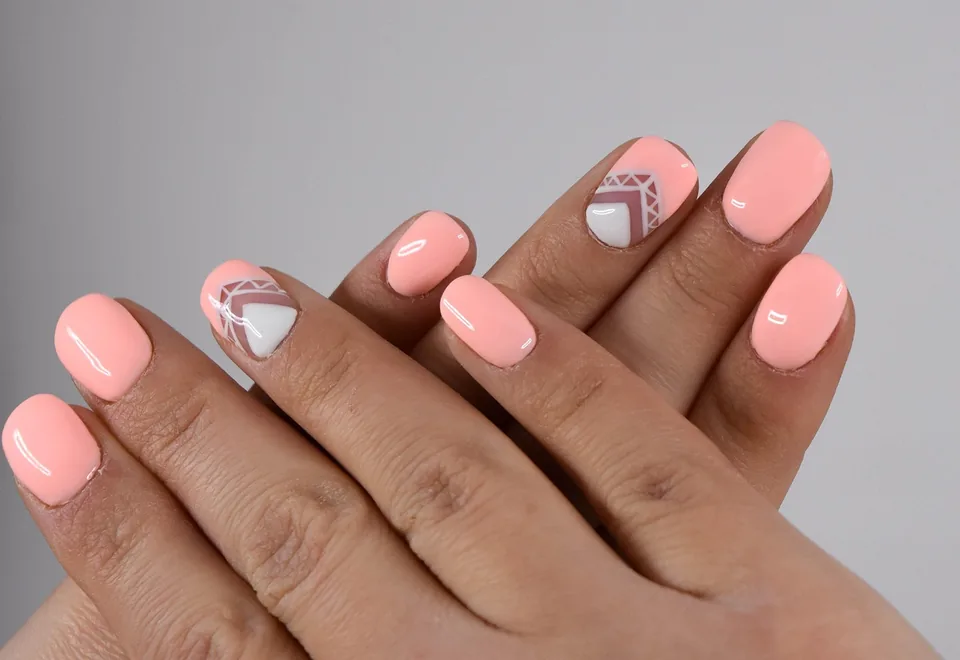
Nails that reflect your style
Explore our services and prepare for your next project.
Find my serviceYour photos, services and contact details, ready to personalise.
Our method, before design
Salon benchmarking and keywords: application, infills, removal and nail art
We study competing professionals, results in your area and examples that clearly present techniques, prices and maintenance. The benchmark examines what helps people choose a service without confusion. Your actual skills, appointment capacity and the value of services you want to develop define the priorities.
“Gel nail extensions [town]”, “nail infills” and “gel polish removal” are possibilities to check according to the techniques actually offered. We distinguish application, maintenance and removal without promising identical results for every customer. Duration information and conditions must match your practice.
The analysis structures service pages and the booking journey, with your authorised photographs and clearly attributed examples. We measure appointments booked, selected services and return visits where your tools allow it. Inspiration images are not presented as your work, and service areas remain real. The quote sets the benchmarking and keyword scope; a standard package does not include permanent, unlimited competitor research.
The benefit for your business
Nail styles, service duration and appointment selection
Show nail styles and nail art
Highlight the styles and techniques you want to sell.
Choose the right slot for the service
Explain application, infills, removal and decoration to guide slot selection.
Explain conditions before the appointment
Present your terms and appointment location before private conversations.
Your budget
Creation prices: brochure website, editable website or online shop
01
Simple brochure website
290 € excluding VAT
Build · standard configuration
Present your business and receive enquiries.
- Presentation tailored to your industry
- Content prepared from your information
- Mobile display and simple contact
- No administration area
02
Editable website / redesign
590 € excluding VAT
Build · standard configuration
Edit your content or modernise an existing website.
- CMS and standard functionality
- Content migration agreed in the quote
- Redirects prepared for a redesign
- Getting started and access handover
03
Online shop
990 € excluding VAT
Build · standard configuration
Sell using a proven e-commerce platform.
- Usable catalogue supplied by you
- Standard cart, payment and delivery
- Order journey tested
- Special integrations quoted individually
The quote confirms the scope before commitment. The client registers and renews the domain; initial connection is included. Choose hosting on your own account or hosting managed by Gloria, at an additional cost. E-commerce platform, applications and payment fees are not included.
In practice
Book an application, infill or removal
A new set
The gallery connects styles to available services. Customers discover options and conditions before choosing their appointment.
Infills or removal
A dedicated description explains the situations covered and useful information to share when booking the appropriate service.
Your starting point
Creation or redesign: content, functions and transfer of old pages
Creation: organise pages, content and contact
For a new website, we start with your services, prices and a selection of photographs. We organise a website suited to how you welcome clients, whether at your home-based professional space or a salon. You choose the practical information published to prepare visits without exposing unnecessary data.
Redesign: transfer content and redirect old pages
A redesign can reorganise a gallery, update the menu and clarify booking rules. We retain useful links and handle changed old URLs. We remove techniques and conditions that are no longer accurate.
Useful functions
Prices, nail gallery and contact form
Prices specifying removal, infills and extras
Application, maintenance, removal and decoration can appear separately where this matches your menu. Extras and requests requiring a conversation are explained. Visitors understand what a service includes rather than discovering conditions only at the appointment.
Photographs connected to services actually performed
Selected work can accompany the corresponding service or be grouped in a gallery. We plan images suited to the website and useful descriptions. Independent updates to this selection can form part of an editable version if you want to refresh examples often.
Form with existing nails and desired service
An enquiry can invite people to specify a first application, maintenance or decoration request. We limit requested information to what genuinely helps you reply. An existing booking link can also be used, without including that service's subscription in the website price.
Practical questions
Questions about content, tools and website creation
Can I use photos already published on social media?
Yes, if you have the rights and permissions needed to reuse them on your website. We work from files you supply. Associated text is adapted to the website context; comments or testimonials are not automatically copied.
Can the website replace messaging for bookings?
It can provide a structured enquiry or direct visitors to a booking tool. The choice depends on how you qualify enquiries. Complete booking with availability and confirmations requires a suitable service whose cost and limitations need to be defined.
Do I need an editable version?
It is useful if you want to change photographs, prices or information regularly without assistance. A simple brochure website may suffice when those elements change little. We choose according to your uses and desired independence, without imposing functions you will not use.
Build the journey
Connect designs to services customers can actually book
A gallery is more useful when each series helps identify the corresponding work. We can distinguish initial application, maintenance, removal and decoration, then explain the differences in your words. A striking image should not lead to a service that does not include that level of decoration. For each design, the description clarifies what is a style example and what corresponds to an option on your menu. Work remains viewable without depending on a social feed. This preserves stable reference points when a social network changes its display or requires login.
A concrete example
Example: booking a new set while allowing for removal of the previous one
Fictional example: a customer wants a design seen in your gallery but already has nails applied elsewhere. The website explains which section to consult and whether removal needs to be planned before the new work. She can find the appropriate appointment type or ask a question if unsure. The enquiry then contains the necessary context without requiring her to pick a technique randomly. The studio's response confirms the service and scope; an inspiration photograph does not constitute automatic acceptance of an exact reproduction.
The first enquiry
Form: service, existing nails and optional photograph
The initial message can ask about the need, any existing nail application and a contact method. An optional photo can help if you want it, but must not block someone who cannot provide one. A preferred date remains a preference until confirmed. We avoid detailed health questionnaires or personal documents in this public enquiry. Requests must not be visible in a gallery or through a public file URL: receipt and access are checked within the agreed scope.
Define the budget
Calendar, nail-art options and prices: functions to price
A link to an existing calendar is suitable when it already manages removals, extras and durations. An embedded integration must retain those options and clearly show what has been selected. A nail-art configurator with automatic pricing is a different project: combinations, limits and handling of requests outside the catalogue must be defined. We can begin with annotated examples and a request for advice, then add automation if choices are stable enough to describe unambiguously.
Prepare and check
Prepare nail photographs, prices and infill rules
To prepare the website, gather consistent photographs taken in comparable lighting, and note the service actually performed for each one. Supply infill and removal rules and the options to present. Prices must specify their scope; a photographed design with several extras must not be associated without explanation with the price of a simple application.
Final checks follow three cases: first application, maintenance and changing from another salon. We check the service sent to the calendar, visible options and ease of mobile browsing. A removed image should also disappear from associated links and selections, without leaving an unavailable design bookable.
An effective gallery does not require publishing all your work. We can select a few representative series and plan a refresh rule: a new style replaces a less relevant example, while photographs useful for permanent services remain accessible. In an editable version, the handover exercise covers adding a design and linking it to the right section. Alternative text describes the photograph without piling up town names. This organisation lets you enrich the website with your actual work without rebuilding every entry from scratch.
Let's discuss your website
Request a quote to create or redesign your website
Tell us your industry, your current website if you have one and what visitors should be able to do. We will respond with a scope and quote.
Get my quote