Websites · Air conditioning
Air-conditioning website: installation, maintenance and repair enquiries
Your visitors do not always know whether they need a new installation, maintenance or a diagnosis. Gloria creates or redesigns your website to explain your services, gather initial building information and make contact easier. You present your method and completed work, with separate enquiries for planned projects and equipment already installed.
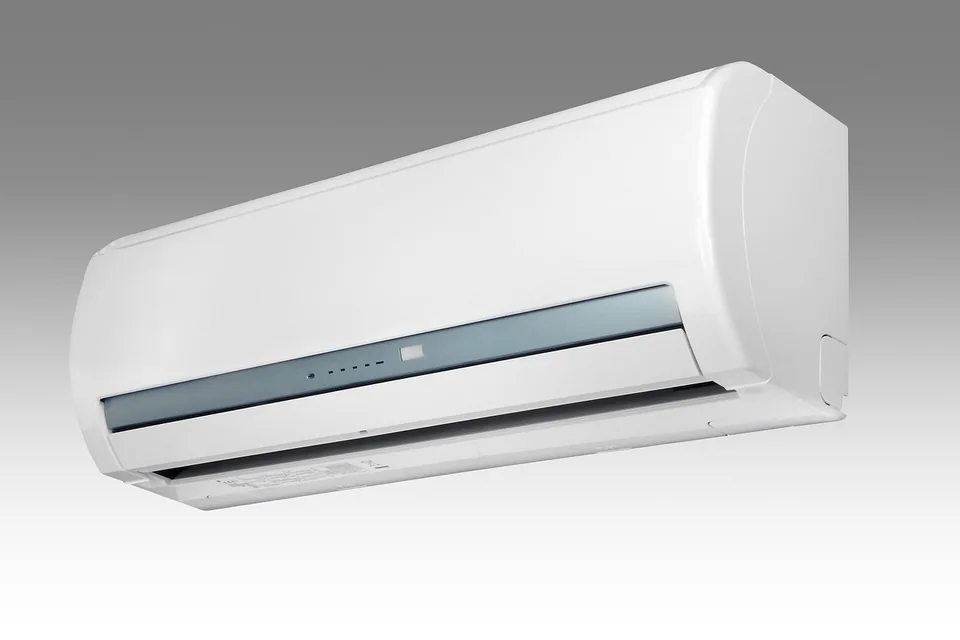
Prepare your air-conditioning project with an installer.
House, flat or business premises: explain your needs to organise the next steps and assess an appropriate solution.
Describe my projectYour information, photographs and services, ready to personalise.
Our method, before design
Installer benchmark and keywords: air-conditioning installation, maintenance and faults
We first study competing businesses, local search results and examples clearly explaining installation, maintenance and repairs. The benchmark compares useful technical information and enquiry stages. Equipment you service, verifiable qualifications, service areas and margin priorities determine which services to develop.
“Home air-conditioning installation [town]”, “air-conditioning maintenance” and “reversible air-conditioning repair” are hypotheses to verify. We distinguish needs, seasonality and expectations visible in results without promising compatibility with every brand or immediate attendance you cannot provide.
The structure separates the relevant journeys, preparation criteria and information required for a quote. Your authorised, accurately described project photos illustrate actual work. Indicators track eligible enquiries, technical visits and accepted quotes. Selected locations match your actual radius. The depth of competitor and keyword research is set in the quote with an appropriate scope; it is not unlimited in basic website offers.
The benefit for your business
Air-conditioning services, building type and reason for the enquiry
- Help customers identify the right service without asking them to choose equipment alone.
- Prepare the discussion with the premises type, need and project timing.
- Present installation, maintenance and repairs with terms appropriate to your business.
Your website in practice
Direct customers towards installation, maintenance or repairs
An air-conditioning project often starts with a simply expressed difficulty: certain rooms become uncomfortable, premises receive the public or existing equipment no longer works as expected. Your website should welcome these descriptions before presenting a list of technical references. We organise content around the need and the next step your business can actually offer.
Installing a new system requires discussion of the building and its use. Maintenance concerns identified equipment and a scope to clarify. A fault calls for another journey, with your hours and service conditions. These three situations should not lead to the same form indiscriminately asking for area, power, reference, contract and installation date.
Your positioning is also clarified: homes, shops, offices or several of these audiences. A company specialising in small residential projects does not need to display a fictional industrial offer. Conversely, an installer working in occupied premises can explain coordination and site organisation. The website makes these differences visible without promising measured comfort or savings that have not been established.
Build budget
Prices: brochure website, editable website or online sales
01
Simple brochure website
290 € excluding VAT
Build · standard configuration
Present your business and receive enquiries.
- Presentation tailored to your industry
- Content prepared from your information
- Mobile display and simple contact
- No administration area
02
Editable website / redesign
590 € excluding VAT
Build · standard configuration
Edit your content or modernise an existing website.
- CMS and standard functionality
- Content migration agreed in the quote
- Redirects prepared for a redesign
- Getting started and access handover
03
Online shop
990 € excluding VAT
Build · standard configuration
Sell using a proven e-commerce platform.
- Usable catalogue supplied by you
- Standard cart, payment and delivery
- Order journey tested
- Special integrations quoted individually
The quote confirms the scope before commitment. The client registers and renews the domain; initial connection is included. Choose hosting on your own account or hosting managed by Gloria, at an additional cost. E-commerce platform, applications and payment fees are not included.
These starting prices cover standard configurations. The quote specifies the selected functions, data migrations and integrations. There is no automatic surcharge per page: a synchronised schedule, stock management or a private area may require more work than a set of presentation pages.
Your website in practice
Create pages for installation, maintenance and repairs
The installation page presents the stages of your support: initial information, assessment or visit according to the project, proposal and preparation of the work. Types of solution can be explained in accessible language, but selection remains subject to your professional analysis. A product catalogue is useful only if it helps customers understand possibilities, limitations and follow-up.
The maintenance page states the equipment covered, the process and how to request work. It distinguishes a one-off service from an ongoing contract if you offer both. The repair page explains what information to prepare and how to contact you, with accurate hours. We add no same-day attendance promise without a genuine commitment from your business.
A projects page can show residential and commercial work separately. Service areas reflect your actual travel. An additional local page must provide its own content: context from an authorised project, organisation or services genuinely available. Local SEO is built on this consistent information, not hundreds of copies of the same air-conditioner description.
Your website in practice
Questions to ask according to the need: installation, maintenance or a fault
We define with you the questions that support a useful response, then remove those needed only after the first contact. This framework avoids turning the form into an impossible technical questionnaire.
On a small screen, scroll the table horizontally.
| Request | What to ask initially | What to check afterwards |
|---|---|---|
| New installation | Town, premises type, rooms concerned and project timing | Layout, installation constraints and technical solution |
| Maintenance | Known installation type, approximate number of units and area | References, condition, access and service scope |
| Diagnosis or repair | Existing equipment, simple problem description and contact details | Service eligibility, availability and diagnostic terms |
| Commercial contract | Building type, contact person and ongoing support needs | Equipment inventory, visit organisation and applicable documents |
An approximate area can help establish a project’s scale; it is not enough to automatically determine equipment or price. “I do not know” options and optional information allow people to seek your help without inventing an answer. The button announces an assessment or contact request, not instant system sizing.
Your website in practice
Example: a shop owner wants air conditioning installed before summer
Fictional illustrative case with no claimed technical or commercial result. A shop owner wants to improve comfort before the warm season. The premises are occupied during the day and she wants to understand how potential work would be organised. She knows the approximate area but has not chosen equipment and does not know which constraints need examining.
On your commercial premises page, she discovers the stages: explain how the premises are used, discuss possible timing, arrange a visit if necessary and receive an appropriate proposal. Authorised photographs can show how you present completed work; demonstration images remain clearly identified. A short explanation distinguishes equipment selection from installation arrangements.
The form collects the town, type of shop, spaces concerned and preferred timing. The owner can indicate that work during opening hours would be difficult. She does not need to provide a desired power rating to obtain an initial discussion. The confirmation states that your team will examine the need and appointment options.
Your response can then address missing information and arrangements for the visit. The website helps ask the right questions before quoting without announcing unverified feasibility, timing or savings. This same case can support discussion during design: every displayed detail should help a real customer decision.
Your website in practice
Present an installation: building, need and equipment installed
A gallery of installed units is more useful when it explains the project context. For an authorised project, we can specify building type, the stated need and chosen organisation without publishing the full address. An overall photo and a detail view can explain the visual quality of integration; they do not prove energy or acoustic performance.
Your qualifications, insurance and manufacturer relationships are displayed after checking documents and wording. We distinguish installing a brand from an official partnership. Technical information affected by product changes must come from current documents and remain attached to the relevant model. Customer reviews follow the same authenticity requirement.
The page can also explain questions to prepare before the visit: rooms concerned, premises occupancy, visible constraints and proposed timing. It must not ask customers to perform technical work themselves. Financial assistance, savings or guaranteed-result promises are excluded until their exact conditions have been established for the offer presented. A clear method already provides useful commercial evidence.
Your website in practice
Adapt the form to installation, maintenance or a fault
Choosing “installation”, “maintenance” or “repair” can adapt a few questions without creating a very long form. For installation, we ask about the need and building type. For existing equipment, the reference remains optional if visitors do not know it. Explanations should avoid encouraging them to open or manipulate the unit to obtain information.
The town and a contact method are often enough to start. A detailed plan, invoices or documents containing personal data are unnecessary for a callback. Any photo must serve a specific purpose, with defined format, size, private access and retention. We do not enable public file uploads merely for convenience.
The form is checked server-side, protected against automated submissions and tested on a phone. Errors explain what needs correction without erasing the project description. Confirmation states that an enquiry does not reserve an intervention. Outside opening hours, the website does not simulate live availability. The privacy policy explains how your business uses and retains submitted information.
Your website in practice
Brochure website, content management and industry tools: choose useful features
A clear brochure website with separate journeys can address an immediate commercial need. A CMS website is useful if you publish projects, update services or present an evolving range. Appointment booking can be considered when time slots, durations and areas are sufficiently defined for confirmation. Otherwise, an appointment request followed by discussion better reflects your operation.
A solution or price simulator requires real rules, visible limitations and professional validation. A connection to your maintenance software requires scoping data, notifications and synchronisation errors. These developments are assessed according to their actual difficulty. A useful content page does not generate an automatic surcharge: Gloria’s standard offers are adapted according to required features, migrations and integrations.
During a redesign, service pages, equipment references and completed projects are inventoried. We retain relevant URLs or plan a 301 redirect to an equivalent page when they change. Equipment removed from the catalogue deserves appropriate information; it must not artificially become another reference. Old links in brochures or campaigns must also be checked.
Your website in practice
Validate with a new project, maintenance request and fault
Before launch, three scenarios guide testing: someone seeking a first installation, a customer wanting equipment maintenance and a visitor describing a malfunction. For each, the page must offer the right service, request information the person can provide and explain what happens next. Your business approves displayed availability and commitments.
On mobile, we check tables, images, telephone links and fields. Technical tests also cover old URLs, redirects, headings, indexability and error messages. Enquiry receipt is checked through an agreed test with the recipient; a success message alone does not prove the email arrived.
If monitoring is included in the quote, it distinguishes installation projects, maintenance enquiries and other contacts. It helps identify recurring questions and expand the relevant pages. Numerous enquiries outside your area or services first indicate information needing clarification. To scope your website, tell us your audiences, services and current tools: we can then define a version useful to your customers and compatible with your organisation.
Domain, hosting & maintenance
Who manages the website after handover?
You register and renew the domain name
You register, pay for and renew your domain name directly. Gloria connects it to the website initially as part of launch. The registrar account and renewal reminders remain under your control. Subsequent one-off assistance can be quoted separately.
Hosting and maintenance: options and prices to specify
You can retain compatible hosting or choose hosting managed by Gloria at an additional cost. The quote specifies recurring costs, backups, updates, included interventions and exit terms. Subscriptions to booking tools, platforms or paid extensions are identified before commitment.
Practical questions
Questions about functionality and website creation
Can we display the equipment brands we install?
Yes, with current information and the necessary usage rights. The website distinguishes presenting an installed brand from official partner status. Technical specifications and performance remain associated with the exact references concerned.
Can a simulator replace a visit?
The website can gather information or provide an indication if you have suitable rules. It must not imply that floor area alone validates an installation and its price. Estimate limitations and the verification stage are clearly displayed.
Can we present maintenance contracts?
Yes. We explain their scope, equipment covered and enquiry journey based on your terms. Subscription, recurring payment or connection to maintenance software are distinct features to scope before integration.
Explore also
Our website offers for related industries
Compare journeys in these related activities to identify functions useful to your project.
Explore the 49 industries →Let’s discuss your project
Request a quote to create or redesign your website
Describe your business, services to highlight, current website address and tools already used. We can distinguish standard configuration from particular functions, then provide a quote with a precise scope.
Request a quote