Website creation and redesign for a garden centre
Garden centre website: seasonal plants, availability and preparing in-store purchases
Your customers want to know what they can find at your store, choose a suitable container and understand how to collect their purchase or have it delivered. Gloria creates or redesigns your website around your departments, the seasons and the services your team actually offers.
- Encourage visits with representative photographs of plants and departments.
- Explain availability, reservations and collection without promising unverified stock.
- Track accepted enquiries, collections and margin after preparation or delivery.
Simple brochure website from €290 excluding VAT · Standard CMS / redesign from €590 excluding VAT.
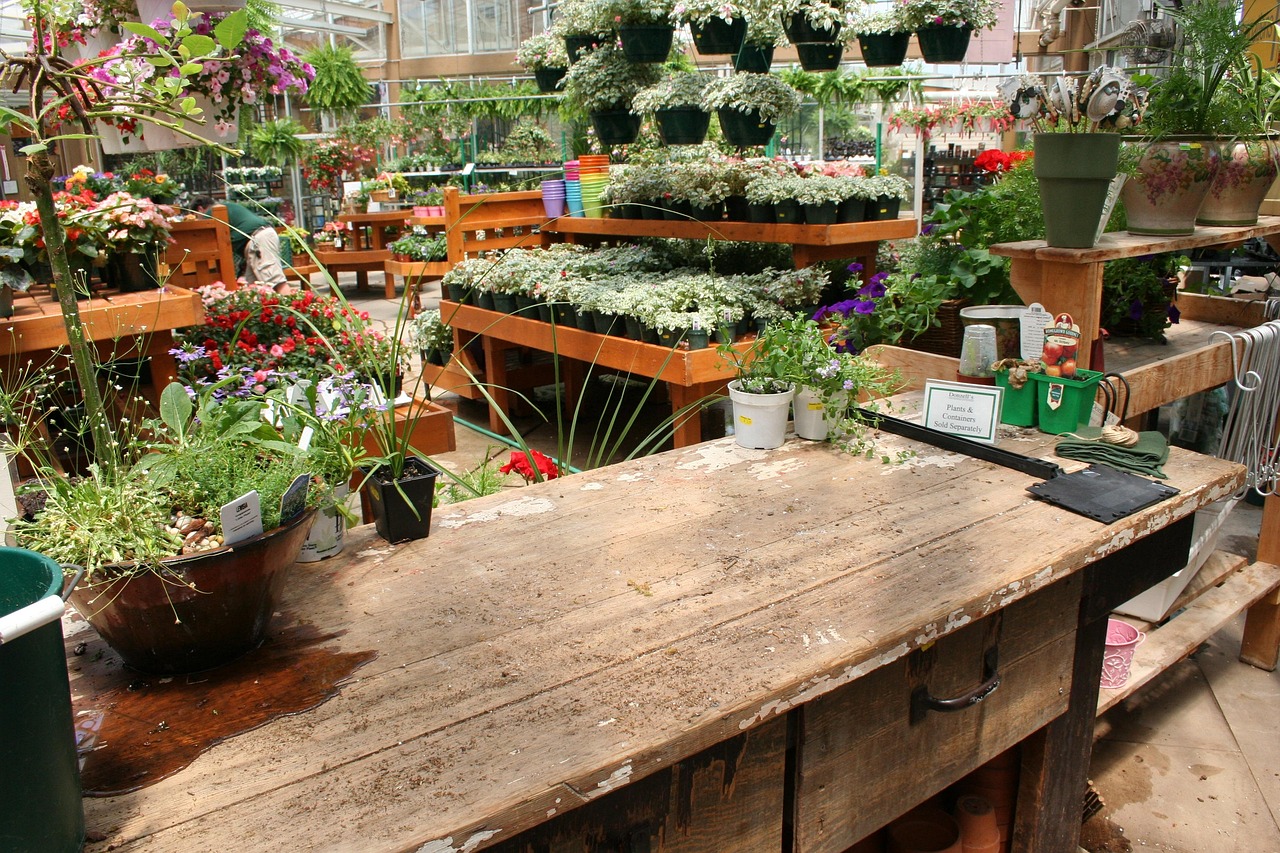
Prepare your next visit to the garden centre
Explore featured arrivals, containers and collection arrangements. The team confirms requested availability.
Check availabilityIllustrative mock-up to adapt to your products, services and photographs.
Content and functionality
Study competing garden centres and searches for plants, pots and delivery
We start with your departments and services: indoor plants, outdoor plants, vegetable gardening, pots, accessories, in-store advice or local delivery. Products you do not carry and services you do not offer remain outside the page plan. A local garden centre does not need to present itself as a national marketplace.
The benchmark compares retailers, nurseries and stores serving the same purchasing needs. We examine how they present seasons, sizes, availability and collection or delivery terms. Unanswered questions suggest opportunities: will this pot fit in a car, is a reservation needed, and where do customers collect an order that has already been prepared?
Keyword research then starts from the offer: ‘garden centre + town’, ‘balcony plants’, ‘large outdoor pot’ or ‘plant delivery + area’ are hypotheses to examine. We distinguish general advice from a search for a product available nearby. The study’s scope and priority seasons are set in the quote. We do not create a page for every town or plant without specific information to provide, or promise measured traffic without data.
Content and functionality
Present new arrivals with dated photographs and understandable availability information
A photograph of a mature plant can inspire customers, but it does not necessarily show the plant offered for sale. Selected product pages distinguish lifestyle illustrations, standard products and, for an individual specimen, its own photograph. Your team verifies container dimensions, approximate plant size and available variants.
Availability depends on how the store operates. A seasonal selection can be shown without quantities, with confirmation before a visit. Displayed stock requires an update procedure or a reliable connection. We also specify how temporarily sold-out products are handled: retain an informative page, offer contact or disable purchasing, depending on the situation.
A spring offer should not accidentally remain available to buy in autumn. In a CMS, we can provide a review date and an owner for collections. Permanent department pages remain useful throughout the year, while dated arrivals are refreshed. Horticultural characteristics, uses and published advice are supplied or approved by the competent person at your business. AI is not used to invent growing requirements or unverified properties.
Build budget
Prices: brochure website €290 excluding VAT, CMS €590 excluding VAT, shop €990 excluding VAT
01
Simple brochure website
290 € excluding VAT
Build · standard configuration
Present your business and receive enquiries.
- Presentation tailored to your industry
- Content prepared from your information
- Mobile display and simple contact
- No administration area
02
Editable website / redesign
590 € excluding VAT
Build · standard configuration
Edit your content or modernise an existing website.
- CMS and standard functionality
- Content migration agreed in the quote
- Redirects prepared for a redesign
- Getting started and access handover
03
Online shop
990 € excluding VAT
Build · standard configuration
Sell using a proven e-commerce platform.
- Usable catalogue supplied by you
- Standard cart, payment and delivery
- Order journey tested
- Special integrations quoted individually
The quote confirms the scope before commitment. The client registers and renews the domain; initial connection is included. Choose hosting on your own account or hosting managed by Gloria, at an additional cost. E-commerce platform, applications and payment fees are not included.
These starting prices cover standard configurations. The quote specifies the selected functions, data migrations and integrations. There is no automatic surcharge per page: a synchronised schedule, stock management or a private area may require more work than a set of presentation pages.
Content and functionality
Example: reserve several plants and choose collection compatible with preparation
Fictional example: a customer wants several plants and pots for a balcony. She discovers a seasonal selection, checks sizes and sends an enquiry with the desired quantities. She does not have to know every botanical name to ask for advice.
If your stock is not synchronised, the page states that the team will check availability. The store confirms the products, explains any difference in size and proposes collection arrangements. A substitution is not made silently: the customer knows what is being offered and can accept it or ask a question.
If the project includes a shop with reliable stock, the journey can continue through payment. The subsequent message distinguishes an order received from an order ready to collect. The team knows which plants and pots to prepare, while the customer can find the collection location and hours. This scenario helps scope a useful function before developing a very broad catalogue. Preparation, availability and team capacity determine the promise made to the visitor.
Content and functionality
Prepare department pages, product pages and reservation rules
Content must correspond to data you can maintain. The following grid helps choose the initial scope and potential additions after launch.
On a small screen, scroll the table horizontally.
| Deliverable to plan | Information to gather | Decision supported |
|---|---|---|
| Department page | Product families offered, representative photographs and seasonal availability. | Determine whether the store meets the need. |
| Plant or container page | Name, size, useful dimensions, variants and authorised images. | Choose a product without confusing sizes. |
| Collection page | Confirmation, hours, collection point and practical instructions. | Prepare the visit after the store confirms. |
| Delivery page | Areas, applicable products, charges and access conditions. | Check whether the purchase can be delivered. |
| Advice page | Frequently asked question, approved answer, review date and relevant products. | Progress towards a choice using reliable information. |
Advice can address questions actually heard in the departments. We avoid a blog full of generic text unrelated to any available offer. Explaining pot sizes and collecting bulky purchases may take priority over dozens of articles unrelated to the store. Every piece of content should have an owner and a reason to be retained.
Content and functionality
Ask for the product, quantity and collection or delivery preference without turning contact into a diagnosis
For an availability enquiry, the form can automatically include the viewed product, then ask for quantity, size and collection or delivery preference. A way to reply is necessary; a full address is not always useful when a town or postcode is enough to check the area.
For help choosing, we can ask about the intended use: balcony, indoors, outdoor planting or a gift. Visitors describe their needs in their own words. Additional information can be gathered during a conversation with your team. The form is not presented as an automatic plant diagnosis or product prescription.
An optional photograph can help explain the enquiry without unnecessarily collecting documents or personal details. The confirmation message explains who will respond and what still needs approval. Questions about an existing order are routed separately so they do not congest availability enquiries. If your team already uses a till or order tool, product transmission and status tracking are studied before any integration.
Content and functionality
Define areas, charges and access before offering delivery of bulky purchases
Delivering a small accessory and handing over a large container require different resources. The website must explain which products qualify, the area served and what delivery includes. You define your actual conditions: drop-off point, access required, appointments and any handling limitations.
For a simple rule, the shop can apply approved conditions in the cart. If the amount depends on particular access or a combination that is difficult to calculate, a delivery request requiring confirmation is more honest than an unsuitable automatic price. Necessary information is gathered before commitment, with a clear response when the area is not served.
Collection slots must also reflect your preparation capacity. An order received shortly before closing is not announced as ready within a minute. Schedules, product-specific rules and logistics integrations are functions to scope and price. A brochure website or catalogue with manual processing can remain appropriate while enquiries are infrequent. Together, we choose the level of automation that genuinely reduces work without shifting essential checks onto the customer.
Content and functionality
Give department managers appropriate access and check catalogue updates
A department manager can update photographs or a selection without permission to modify payments or technical settings. Individual access is adapted to your organisation. Backups, updates and work after handover are defined within the chosen hosting or maintenance scope.
A catalogue import is checked before publication: units, sizes, variants, prices and availability. A quantity expressed as a pack must not accidentally become a unit price. If a stock source stops responding, the person responsible for the website must be able to identify the problem and avoid continuing to display misleading availability.
Forms include server-side checks and protection against automated submissions. Any attachments are limited and access is planned. AI assistance can prepare draft descriptions from approved data, but plant characteristics are still reviewed. Before opening distance sales of plants for planting, we scope the plant passport and traceability obligations with your business, to be confirmed with the regional food authority (SRAL). The journey distinguishes an availability enquiry, a reservation and a sale concluded online. Plant protection products and other specific categories require separate scoping.
Content and functionality
Test stockouts, ended seasons and delivery outside the area, then track orders and margin
Acceptance testing uses store situations: a product sells out after being viewed, a seasonal collection has ended, the quantity exceeds known stock, collection is unconfirmed or delivery is outside the area. We check that messages do not encourage unnecessary journeys and that the team receives products with their exact sizes.
On mobile, visitors must be able to compare pot dimensions, find opening hours and understand collection or delivery arrangements. You test a routine update: removing an arrival, changing a photograph or closing a slot. If a shop is selected, the test journey includes a declined payment and a cancellation. Website creation must not rely solely on checking the homepage.
Tracking distinguishes enquiries received, enquiries fulfilled, orders confirmed and orders collected or delivered. We also examine refusals due to stock, substitutions and preparation time. To assess profitability, sales are compared with margin after preparation, delivery and acquisition costs over the same period. A seasonal increase in visits does not by itself prove the website’s effect; the comparison accounts for promotions, arrivals and the commercial calendar.
After handover
Domain in your name, hosting and maintenance defined in the quote
You register and renew your domain
The domain name is registered on your account. You pay for and renew it directly; Gloria connects it to the website initially as part of launch. You retain control of the account and renewal reminders. Subsequent one-off assistance can be quoted separately.
You choose who hosts and maintains the website
You can retain compatible hosting or choose hosting managed by Gloria at an additional cost. The quote specifies recurring costs, backups, updates, included interventions and exit terms. Software subscriptions, paid extensions and marketing support are identified separately.
Practical questions
Questions about seasons, availability and garden centre collection
Can we create a useful website without displaying all stock?
Yes. Departments, selected arrivals and services can already help prepare a visit. An availability request is then presented as a check to be carried out. Displaying precise quantities requires reliable organisation or a stock connection, studied in the quote.
Must photographs show the exact plant that will be supplied?
For an individually sold specimen, an actual photograph avoids misunderstandings. For a batch of plants, a representative image can be used if characteristics and variations are explained. A lifestyle photograph or image of a mature specimen is identified as such and does not replace the dimensions of the product sold.
Should pages for out-of-season plants be deleted?
Not necessarily. A page can remain useful if it explains unavailability and provides current information. Purchasing must be disabled when the product is no longer offered. Outdated event pages are reviewed according to their content and links, without automatically redirecting to the homepage.
Can we start with reservations and add online payment later?
Yes, if product data and responsibilities are prepared from the outset. Reservations must specify when they are confirmed. Adding payment then involves ordering rules, availability, collection or delivery and related testing; this development is quoted separately.
Explore also
Services and examples to complement your project
These pages explain journeys or integrations that can complement your project.
Explore the 49 industries →Let’s discuss your project
Describe your offer, current website and required functions
Specify the services or products to highlight, your current website address and tools already used. We can then prepare competitor and customer-search research, distinguish standard functions from particular requirements and provide a quote with acceptance criteria.
Request a quote